

Western Union Mobile Transfers
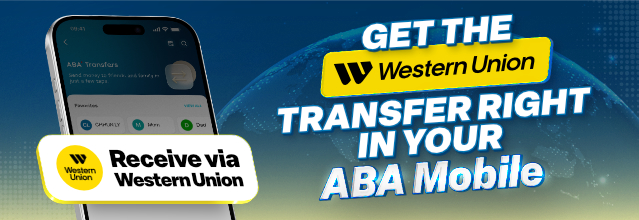
ABA Bank adds Western Union Money Transfer in ABA Mobile, giving you greater flexibility and more convenience in moving money across the globe anytime, anywhere.
As an ABA Mobile user, you can receive money from abroad or send money overseas directly into or from your ABA account with just a few taps. No branches, no agents – all transfers happen securely and conveniently in your ABA Mobile, available 24/7, giving you full control, flexibility, and peace of mind.
Why Western Union?
Western Union is a global leader in cross-border P2P payments and money transfers, serving over 200 countries and territories though more than 600,000 retail agent locations worldwide. Western Union Mobile International Transfer is:
- Quick and easy – receive money instantly using Western Union MTCN code through your ABA Mobile. All you need is your ABA account in KHR and ABA Mobile.
- Funds ready instantly – once the receiving process is complete, money is available immediately in your ABA account.
- Zero inward fees – no charges for receiving money with Western Union Receive on ABA Mobile.
How to receive money using Western Union on ABA Mobile
- Launch the ABA Mobile app.
- Go to Transfers, then under International Transfers, select Western Union Send/Receive.
- Choose Receive Money.
- Select the ABA account1 where you want to deposit the transfer.
- Enter the 10-digit MTCN code provided by the sender.
- Select the relationship and purpose of the transaction.
- Read and agree to the Terms and Conditions of the service.
- Tap Receive Now and confirm the transaction using your ABA Mobile PIN.
1 This service is designed exclusively for crediting funds to a KHR Account.
How to Send money using Western Union in ABA Mobile App (Coming Soon)
Important information
- The information displayed in this manual is for demonstration purposes only.
- To be eligible to receive money from Western Union, you must maintain at least one KHR account.
- The maximum amount of Western Union MTCN is received up to USD 10,000 per transaction.
- There are no fees for receiving money from Western Union.



ABA Terms and Conditions, Western Union Terms and Conditions, Western Union Privacy Statement apply. You need Adobe Reader to view these PDF files.
- The transfer amount has exceeded the maximum limit.
- Receiver’s information is insufficient.
- The transaction cannot be processed due to ABA Bank’s money transfer policy.