


Pi Pay - ABA Transfers
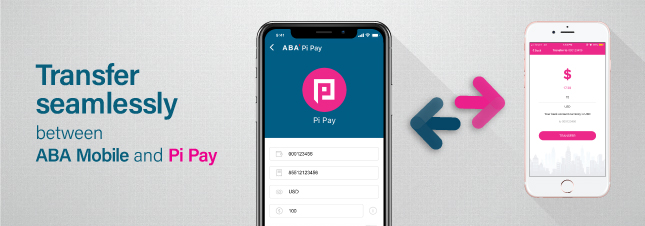
ABA Bank has joined forces with Pi Pay cashless payment platform to allow customers transfer money between ABA Mobile app and Pi Pay wallet with ease. You can send up to 2,500 USD between the apps with just 3.75 USD or 15,000 KHR per transaction.
This easy transfer method enables you to go cashless and enjoy discounts at many participating shops, restaurants, and other businesses in Cambodia!
Easy steps to transfer funds between ABA Mobile and Pi Pay
ABA Mobile to Pi Pay
- Launch ABA Mobile app and select “Transfers”
- Select Transfer to Local Banks & Wallets
- Select PiPay Wallet
- Select your ABA account to make the transfer from
- Enter recipient’s phone number
- Choose the currency of the transfer (USD / KHR)
- Enter the amount you want to send
- Confirm the transaction with your security PIN.
Fees
| USD | Amount | Fee |
| 0.01 - 50.00 | 0.65 | |
| 50.01 - 100 | 0.90 | |
| 100.01 - 500 | 1.30 | |
| 500.01 - 1,000 | 1.50 | |
| 1,000.01 - 2,000 | 3.00 | |
| 2,000.01 - 2,500 | 3.75 | |
| KHR | ||
| 1 - 200,000 | 2,600 | |
| 200,100 - 400,000 | 3,600 | |
| 400,100 - 2,000,000 | 5,200 | |
| 2,000,100 - 4,000,000 | 6,000 | |
| 4,000,100 - 8,000,000 | 12,000 | |
| 8,000,100 - 10,000,000 | 15,000 |
Limits
| Currency | Daily Limit | Monthly Limit |
| USD | 2,500 | 5,000 |
| KHR | 10,000,000 | 20,000,000 |
Pi Pay to ABA Mobile
- Launch Pi Pay app and select “Transfer”
- Select “To ABA Bank Account”
- Enter ABA account number
- Enter the amount you want to send
- Click “Transfer” to confirm
- Confirm the transaction with your security PIN.
| Currency | Amount | Fee | Monthly limit |
| USD | 1 - 1,000 | 0.50 | 5,000 |
| KHR | 4,000 – 4 million | 2000 | 20 million |
Don’t have ABA Mobile app?
Click the icon below to download the ABA Mobile application for free from Apple's App store, Google's Play Store or Huawei's AppGallery. After downloading, simply follow the screen instructions to start mobile banking!